
I got so excited when I saw this!
By default, the current label description of the Choice data type is shown in the audit logs.
For example, suppose you have a choice column for color and the label description can be red, white, and blue. When a user selects red and updates the record, the audit record shows that red was selected. If the label description is later changed to pink in the choice data type, the audit record displays pink.
If you want to show the original label that the user selected in the audit logs, you can set this auditsetting {“StoreLabelNameforPicklistAudits”:true} to true.
Only to be disappointed by this…
When the StoreLabelNameforPicklistAudits is set to true, the new audit user experience on viewing the audit records can be found in the Audit Summary view.

The audit history in model-driven app continues to show the by default behavior.
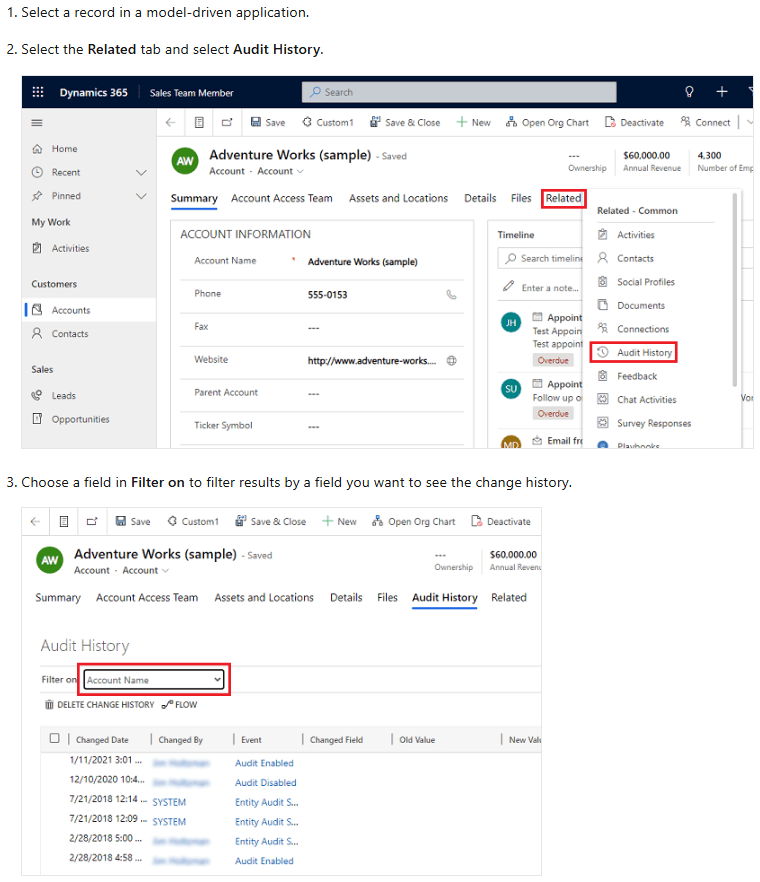
Well… boo. It stinks that it won’t show in the MDA, but I guess we should be thankful at least it’s captured somewhere. Good to know where to look if you need that kind of information. Keep that one in your back pocket! It may come in handy some day.
Public preview
- Record actual label values in Dataverse audit logs
- Turn on or off auditing for Choice data type’s original label (Preview)


 The Low-Code Logbook
Leave a comment