
Did you know that the Business Card Scanner now requires that the user have access to the msdyn_AIModel and msdyn_AITemplate tables??
Users are encountering an error message like this one…
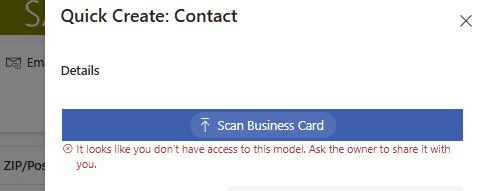
Unfortunately, the error is not shown until after they select their card and hit Done on file explorer.
To configure the solution
First, let’s determine what access level the user will need to Read the tables.
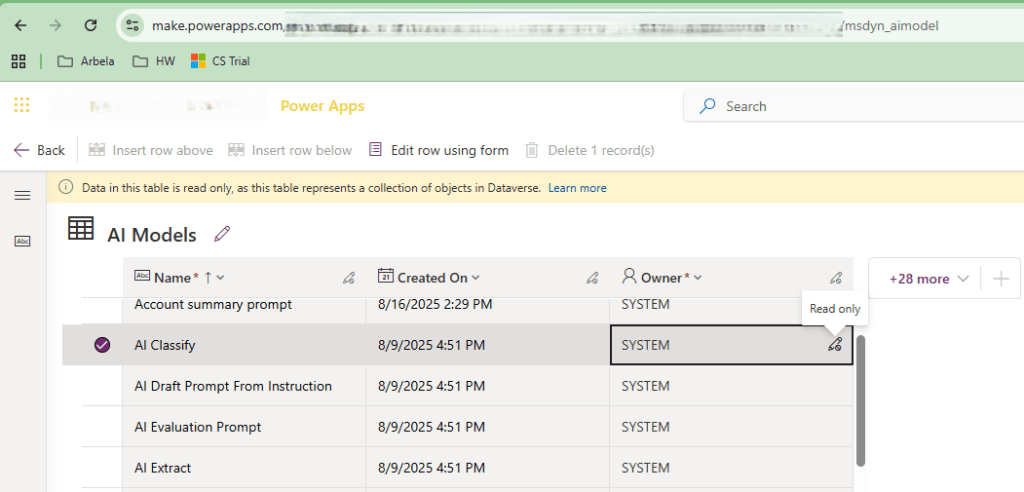
I’m able to view the Owners of the rows in make.powerapps.
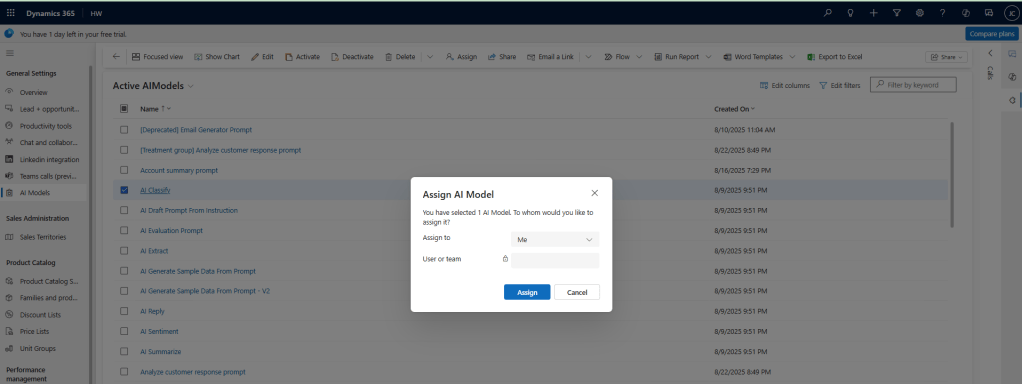
If I need to change the Owner, I need to add the tables to my app, and then in the app’s UI, I can easily Assign the rows.
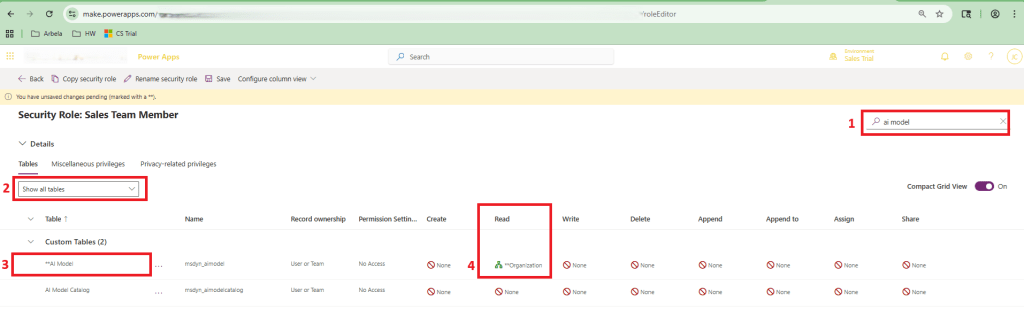
Second, let’s update the Security Role
- Search by the table name
- Select “Show all tables”
- Find the correct row
- Update the Read access
Source
Kudos to my colleague Damien Snyder for sharing this golden nugget of useful information!
 The Low-Code Logbook
Leave a comment