
Trying to identify a table’s Primary Key?
In Power Apps, when you create a new Business Process Flow (BPF), a corresponding table is automatically created to store a row for each record as it progresses through the BPF stages. When the table is created, the table shares the same name as the BPF. However, the BPF’s Process Name and table’s Display Name can be modified independently.
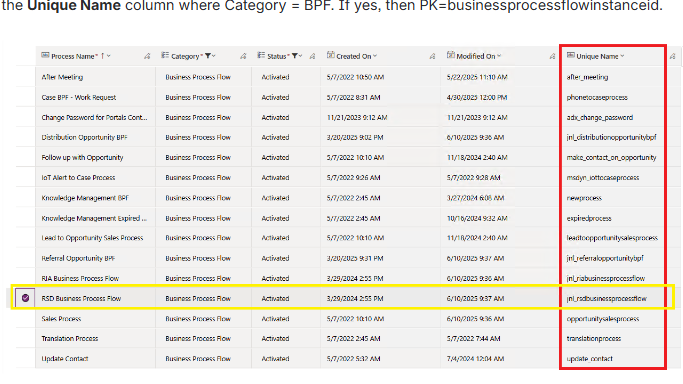
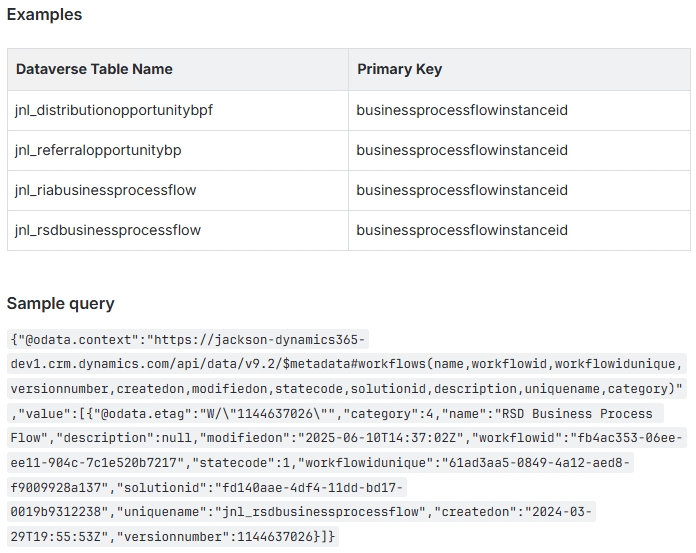
If you are trying to determine a table’s primary key and you suspect that table corresponds to a BPF, then you can confirm by using the Web API to query the Process table (schema name: workflow). With your query, you are trying to determine if that table’s schema name exists in the Process table’s Unique Name column. Your query would need to include the condition: where Category equals BPF.
If your query returns a result, then the table’s Primary Key is businessprocessflowinstanceid.
An example is shown below
 The Low-Code Logbook
Leave a comment